Battle City

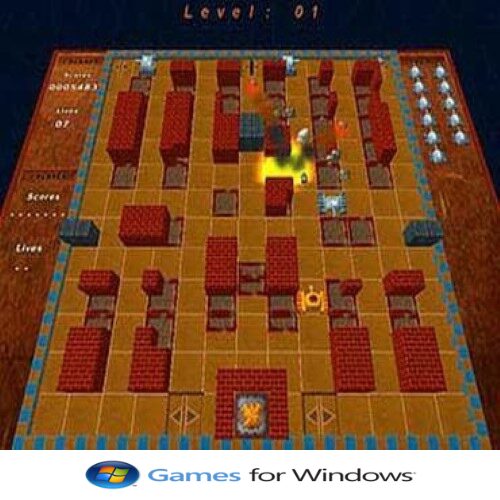
Here’s a description of Battle City, the classic tank-game by Namco:


What is it

  • Full title: Battle City (1985) (Wikipedia)
  • Developed and published by Namco for the Famicom/NES. (Wikipedia)
  • Also released on Game Boy (1991), included later via Virtual Console and other collections. (gamesdatabase.org)

Gameplay

  • Genre: Multi-directional shooter / arcade action. (Wikipedia)
  • You control a tank and your goal is to destroy enemy tanks on each stage while defending your base. (Wikipedia)
  • Each level requires you to kill a fixed number (20) of enemy tanks to complete. (Wikipedia)
  • If the player’s base (often shown as an eagle or phoenix symbol) is destroyed by enemies (or accidentally by the player), the game ends even if you haven’t lost all lives. (Wikipedia)

Level Design & Features

  • Number of Stages: 35 distinct levels in the NES / Famicom version. (Wikipedia)
  • Terrain types & obstacles:
    • Brick walls (destructible) (Wikipedia)
    • Steel walls (more resilient or require power-ups to destroy) (Wikipedia)
    • Bushes / foliage that hide tanks or shots. (Wikipedia)
    • Ice / slippery surfaces, water that blocks movement etc. (Wikipedia)
  • Power-ups / Bonuses: Occasionally destroying special enemy tanks yields items like:
    • Extra speed or upgraded firepower (Wikipedia)
    • Temporary protective shield, freezing enemies, or mass-destruction of all visible enemies. (Wikipedia)
  • Two-Player Mode: The game supports cooperative play with two players defending together. (Wikipedia)
  • Level Editor / Construction Mode: After finishing original levels players can create custom maps / levels. (MobyGames)

Legacy & Release Notes

  • Battle City is a refined version of an earlier Namco arcade game, Tank Battalion. (Wikipedia)
  • The Famicom (NES) version was not officially released in the West initially, but the game became widely known globally via multicarts and later official re-releases. (Wikipedia)
  • In September 2024, VS. Battle City was re-released for Switch and PS4 as part of an Arcade Archives line. (retronews.com)

If you like, I can also summarize what people say about the game’s strengths and weaknesses (especially compared to modern tank/shooter games)?

Border of Insanity

Border of Insanity - WildTangent Games

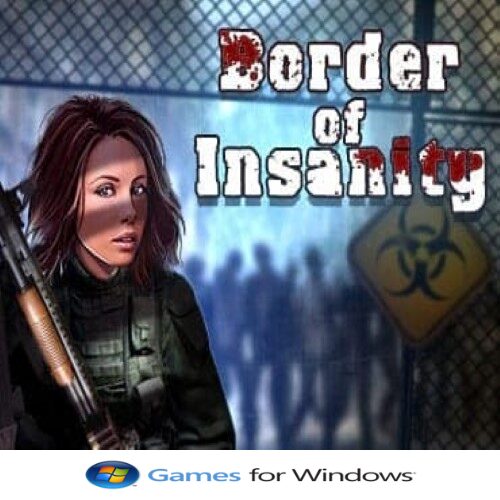
Border of Insanity is a first-person survival horror shooter developed by Falco Software. Set in a post-apocalyptic world, the game challenges players to navigate a deserted city, battling zombies and uncovering the mysteries of a collapsed civilization.


🧟 Gameplay Overview

  • Setting: The game unfolds in an abandoned city, devoid of human life, with the protagonist being the sole survivor.
  • Combat: Players engage in intense firefights with zombies using a variety of weapons. Melee combat is also available when ammunition is scarce.
  • Movement: Incorporates parkour elements, allowing players to climb, jump, and traverse the environment to access hard-to-reach areas.
  • Exploration: The city is filled with hidden paths, abandoned buildings, and scattered resources. Players must scavenge for supplies and clues to progress.
  • Atmosphere: The game emphasizes a tense atmosphere, with eerie environments and a haunting soundtrack that enhances the sense of isolation and danger.

🎮 Platforms & Availability

  • PC: Available for download on platforms like GameTop and WildTangent. The game is free to play on these sites. (GameTop.com)

🧠 Reception

While specific reviews are limited, the game has garnered attention for its unique blend of parkour and zombie combat. Players appreciate the challenging gameplay and the immersive atmosphere.


🔗 Additional Resources


If you’re interested in a free-to-play survival horror experience with parkour elements, Border of Insanity offers a unique and engaging challenge.

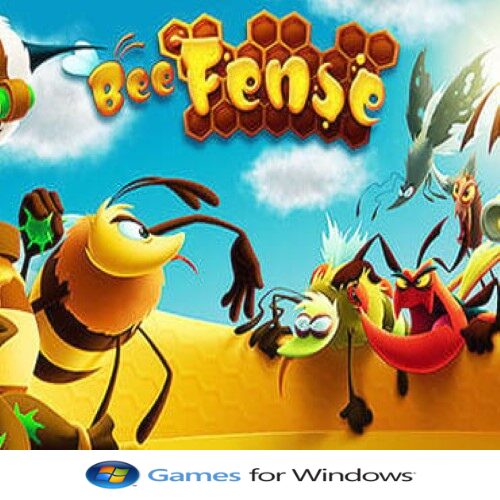
BeeFense

Here’s a summary of BeeFense (and its remastered version BeeFense – BeeMastered):


What is BeeFense

BeeFense is a tower defense / strategy game developed by ByteRockers’ Games. (Steambase)

The remastered version is called BeeFense – BeeMastered. (Steam Store)


Setting & Story

  • You defend a bee colony / beehive that is under threat from hornets (and related enemies) led by the evil Queen Hornetta. (YUPLAY)
  • The bees must use their resources wisely to protect the hive fortress, upgrade defenses, and survive wave after wave. (YUPLAY)
  • The remaster (BeeMastered) adds extra levels, upgraded graphics, new enemies (e.g. General Hornus), and some new mechanics (like glow ammo to reveal hidden enemies) (Steam Store)

Gameplay & Mechanics

Here are the main features and how the game works:

FeatureDetails
LevelsThe original has ~20 single-player levels. The remastered version has 26 levels, including 6 new ones. (GameTop.com)
Towers / DefensesUp to 12 different tower types / tower properties are available. Players can upgrade them. (YUPLAY)
Resource ManagementBees collect resources (like honeydew, nectar, pollen, sometimes water) to pay for building/upgrading towers, and to power other mechanics. (Nerd Cult Online)
Special Mechanics“Glow ammo” allows you to expose enemies hidden in darkness / shadows. There are also special tasks / bonus objectives in many levels. (Steam Store)
Enemy TypesMany varied enemy types (hornets, etc.), with different behaviors. Some “hidden” enemies that require special mechanics to detect. (Nerd Cult Online)

Platforms & Graphics

  • Originally a mobile game; later remastered for PC, consoles (Switch, PS4, Xbox) with updated graphics (HD, new lighting, new animations). (Steam Store)
  • The remastered version is called BeeMastered. (Steam Store)

Notable Points / Strengths & Challenges

Strengths:

  • Cute / charming art style; thematic (bees vs hornets) gives character. (Nerd Cult Online)
  • Decent depth: more than just placing towers; managing resources, choosing tower types, handling special tasks, detecting hidden enemies. (Nerd Cult Online)
  • Good value: remastered content plus new levels. (Steam Store)

Challenges / Criticisms:

  • As with many tower defense games, later levels may get difficult / require more careful planning / upgrades. (ModDB)
  • Some reviewers / users mention the pace can be slow or resource grindy. (You need enough resources to keep defenses upgraded.) (Nerd Cult Online)

If you want, I can pull up some gameplay videos or show how BeeFense compares to similar games (e.g. Fieldrunners, Kingdom Rush) so you can see whether you’d like it.

Star Sword

Star Sword is a fantasy action-adventure game where players wield a powerful sword to battle enemies across mystical worlds. Combining fast-paced combat, exploration, and magical abilities, players must defeat formidable foes, overcome obstacles, and uncover the secrets of a legendary blade.

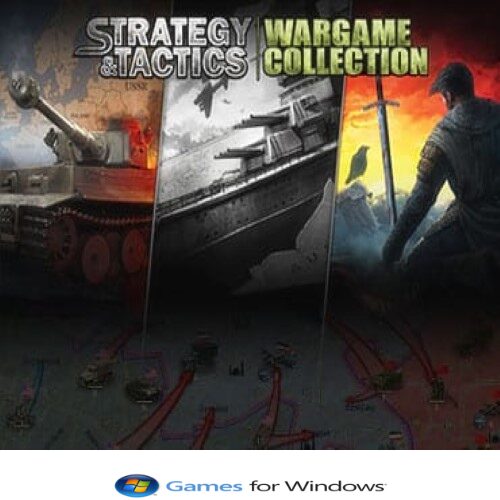
Strategy and Tactics Wargame Collection

Strategy and Tactics: Wargame Collection is a comprehensive tactical strategy game that lets players command armies across historically inspired battlefields. Featuring turn-based combat, detailed unit management, and deep strategic planning, players must outmaneuver opponents, exploit terrain, and execute clever tactics to achieve victory.

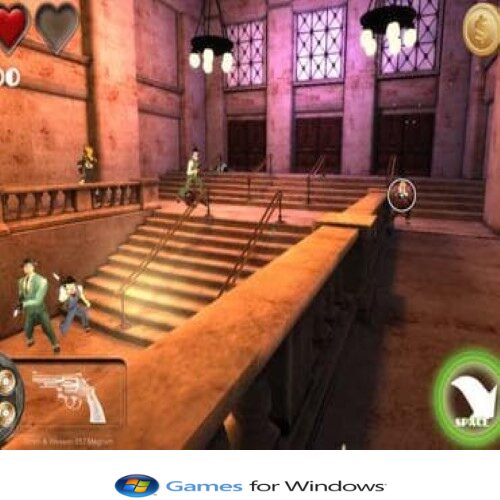
Prohibition 1930

Prohibition 1930 is a strategy and action game set during the American Prohibition era. Players step into the shoes of gangsters or law enforcers, managing illegal operations, engaging in shootouts, and navigating the criminal underworld. Strategic planning, resource management, and quick reflexes are key to surviving and thriving in a turbulent 1930s world.

ArgoUML

ArgoUML – Description

ArgoUML is a free, open-source UML modeling tool designed to help software developers and system architects create and visualize software designs. Written in Java, it supports all standard UML 1.4 diagrams, including class, use case, statechart, activity, and sequence diagrams.

Key features include a simple graphical interface, model validation, code generation (for Java, C++, and PHP), and reverse engineering capabilities. ArgoUML also provides design critics—automated suggestions that help improve model quality and adherence to best practices.

Available for Windows, macOS, and Linux, ArgoUML is widely used in software engineering and education for learning UML concepts, documenting system architecture, and designing object-oriented applications.

OMEN Gaming Hub

Here’s a clear description of OMEN Gaming Hub:

OMEN Gaming Hub is an all-in-one software platform by HP designed to enhance the gaming experience on OMEN devices and compatible PCs. It provides performance tuning, system monitoring, and game management tools to optimize gameplay and customize your system.

Key features include:

  • 🎮 Game Library & Management: Organize, launch, and track all your games in one place.
  • Performance Optimization: Adjust CPU/GPU settings, overclock, and monitor system performance in real time.
  • 🌈 RGB Lighting Control: Customize and sync RGB lighting across OMEN devices.
  • 🛠️ Network Booster: Prioritize gaming traffic and reduce latency for smoother online gameplay.
  • 🖥️ User-Friendly Interface: Intuitive dashboard for managing games, hardware, and settings efficiently.

In short, OMEN Gaming Hub is a comprehensive tool for gamers looking to optimize performance, customize their setup, and manage games seamlessly.

One Calendar

Here’s a clear description of One Calendar:

One Calendar is a comprehensive calendar application that allows users to manage all their schedules, appointments, and events in one place. It integrates multiple calendar services and provides a clean, intuitive interface to stay organized and on top of daily tasks.

Key features include:

  • 📅 Unified Calendar View: Sync and manage multiple calendars (Google, Outlook, iCloud, etc.) in a single interface.
  • 🔔 Event Reminders: Set notifications for meetings, deadlines, and appointments.
  • Customizable Views: Switch between daily, weekly, monthly, or agenda views.
  • 🖥️ Cross-Device Sync: Access and update your calendar across Windows devices.
  • 🎨 User-Friendly Interface: Modern, intuitive design with easy navigation and color-coded events.

In short, One Calendar is a versatile and user-friendly tool for organizing schedules and staying on top of important events.

NVIDIA RTX Desktop Manager

Here’s a clear description of NVIDIA RTX Desktop Manager:

NVIDIA RTX Desktop Manager is a professional-grade software tool designed to enhance productivity on multi-monitor setups. It provides advanced desktop management features for NVIDIA RTX graphics card users, enabling efficient organization, layout control, and workflow optimization across multiple displays.

Key features include:

  • 🖥️ Multi-Monitor Management: Arrange and manage multiple screens with customizable layouts.
  • 📐 Window Organization: Snap, resize, and position application windows efficiently.
  • Productivity Enhancements: Create pre-defined layouts for different workflows or projects.
  • 🎛️ User-Friendly Interface: Simple and intuitive controls for easy setup and adjustment.
  • 💻 Optimized for NVIDIA RTX GPUs: Leverages GPU features to handle high-resolution and multi-monitor setups smoothly.

In short, NVIDIA RTX Desktop Manager is a powerful tool for professionals and power users who need precise control and enhanced productivity in multi-monitor environments.

NVDA

Here’s a clear description of NVDA (NonVisual Desktop Access):

NVDA is a free, open-source screen reader for Windows that enables visually impaired users to access and interact with computers. It reads text on the screen aloud, provides braille output, and supports a wide range of applications, making computing more accessible.

Key features include:

  • 🗣️ Screen Reading: Reads text, menus, dialogs, and web pages aloud using synthesized speech.
  • 🔤 Braille Support: Compatible with braille displays for tactile feedback.
  • 🌐 Wide Application Support: Works with web browsers, Microsoft Office, email clients, and more.
  • Customizable Voice & Settings: Adjust speech rate, pitch, and verbosity to suit user preferences.
  • 💻 Free & Open Source: Accessible to all users with active community support and regular updates.

In short, NVDA is an essential accessibility tool for visually impaired users, providing full computer and internet access through speech and braille output.

Notezilla

Here’s a clear description of Notezilla:

Notezilla is a powerful sticky notes application for Windows that allows users to create, organize, and manage digital notes on their desktop. It helps improve productivity by keeping important information, reminders, and to-do lists readily accessible.

Key features include:

  • 📝 Sticky Notes on Desktop: Create colorful, resizable notes directly on your desktop.
  • 📂 Organize Notes: Use folders, tags, and categories to manage notes efficiently.
  • 🔄 Cloud Sync: Sync notes across multiple devices including Windows, Android, and iOS.
  • Reminders & Alerts: Set reminders for important tasks and deadlines.
  • 🖋️ Rich Text Support: Format text, add images, and attach files to notes.

In short, Notezilla is a versatile and user-friendly tool for managing notes, staying organized, and boosting productivity.

MyRadar

Here’s a clear description of MyRadar:

MyRadar is a real-time weather application that provides fast and accurate weather radar data for locations worldwide. It is designed to help users track storms, monitor weather patterns, and stay prepared for changing conditions.

Key features include:

  • 🌦️ Real-Time Weather Radar: Animated radar maps showing precipitation, storms, and severe weather.
  • 📍 Location Tracking: Automatically detects your location for local weather updates.
  • Severe Weather Alerts: Receive notifications for hurricanes, tornadoes, and other extreme conditions.
  • 🗺️ Interactive Maps: Zoom and pan to view weather patterns in detail.
  • 🖥️ User-Friendly Interface: Simple, intuitive design for quick weather insights.

In short, MyRadar is a fast and reliable app for staying informed about weather conditions and tracking storms in real time.

MSN Weather

Here’s a clear description of MSN Weather:

MSN Weather is a user-friendly weather application for Windows that provides accurate, up-to-date weather forecasts and real-time weather information. It helps users plan their day with detailed insights into temperature, precipitation, wind, and more.

Key features include:

  • 🌤️ Accurate Weather Forecasts: Hourly, daily, and 10-day forecasts for any location worldwide.
  • 📍 Location Tracking: Get weather updates based on your current location or saved cities.
  • Live Tiles & Alerts: Stay informed with live tiles, severe weather alerts, and notifications.
  • 🌐 Interactive Maps: View radar, satellite, and precipitation maps.
  • 🖥️ User-Friendly Interface: Clean, easy-to-navigate design optimized for Windows devices.

In short, MSN Weather is a reliable and convenient tool for keeping track of weather conditions wherever you are.

Monitorian

Here’s a clear description of Monitorian:

Monitorian is a lightweight Windows utility that allows users to easily adjust the brightness of multiple monitors from a single interface. It simplifies multi-monitor setups by providing quick, precise control over screen brightness without needing to access individual monitor menus.

Key features include:

  • 🌞 Multi-Monitor Brightness Control: Adjust the brightness of one or several monitors simultaneously.
  • Quick Access: Control brightness directly from the system tray.
  • 🎛️ Simple Interface: User-friendly slider for precise brightness adjustment.
  • 🖥️ Wide Monitor Compatibility: Supports most monitors connected via DDC/CI.
  • 🔄 Portable & Lightweight: Minimal system resource usage, easy to run on any Windows PC.

In short, Monitorian is an efficient and convenient tool for managing monitor brightness, especially in multi-monitor setups.

Microsoft Tips

Here’s a clear description of Microsoft Tips:

Microsoft Tips is a built-in Windows application designed to help users get the most out of their Windows operating system. It provides easy-to-follow tutorials, feature highlights, and practical tips for improving productivity and mastering Windows tools.

Key features include:

  • 💡 Helpful Guides: Step-by-step instructions for Windows features and settings.
  • 🔍 Searchable Tips: Quickly find information on specific tools or tasks.
  • 🖥️ Regular Updates: New tips and tricks are added as Windows evolves.
  • 🎯 Productivity Enhancements: Learn shortcuts, hidden features, and workflow improvements.
  • 🧑‍💻 Beginner-Friendly: Designed for users of all skill levels to improve their Windows experience.

In short, Microsoft Tips is a handy companion for Windows users to learn, explore, and make the most of their PC.

Microsoft Sticky Notes

Here’s a clear description of Microsoft Sticky Notes:

Microsoft Sticky Notes is a digital note-taking application that allows users to create, organize, and manage quick notes directly on their Windows desktop. It provides a convenient way to jot down reminders, ideas, to-do lists, and important information without opening a full-fledged note app.

Key features include:

  • 📝 Quick Note Creation: Easily create and edit notes on your desktop.
  • 📌 Customizable Appearance: Change note colors, sizes, and formatting for better organization.
  • 🔄 Cloud Sync: Sync notes across Windows devices using a Microsoft account.
  • 🖋️ Handwriting & Drawing Support: Use a stylus or touch input for handwritten notes.
  • 🔍 Search Functionality: Quickly find notes using keywords.

In short, Microsoft Sticky Notes is a simple and effective tool for staying organized and keeping important information at your fingertips.

MacroMaker

Here’s a clear description of MacroMaker:

MacroMaker is a lightweight software tool designed to automate repetitive tasks by creating and running macros. It allows users to simulate keyboard and mouse actions, streamlining workflows, saving time, and improving productivity in both professional and personal applications.

Key features include:

  • ⌨️ Macro Creation: Record and simulate keyboard and mouse actions.
  • Task Automation: Automate repetitive tasks in software, games, or data entry.
  • 🖥️ Simple Interface: Easy-to-use design suitable for beginners and advanced users.
  • 🔄 Flexible Execution: Run macros manually, on a schedule, or in loops.
  • 🎮 Gaming Support: Useful for automating repetitive in-game actions.

In short, MacroMaker is an efficient and user-friendly tool for automating routine computer tasks and boosting productivity.

Macro Recorder Premium

Here’s a description of Macro Recorder Premium:

Macro Recorder Premium is the advanced version of Macro Recorder, providing enhanced automation capabilities for both personal and professional use. It allows users to record, edit, and replay complex keyboard and mouse actions to streamline repetitive tasks, improve productivity, and automate workflows.

Key features include:

  • ⌨️ Advanced Macro Recording: Capture precise keyboard strokes, mouse movements, clicks, and even drag-and-drop actions.
  • Powerful Automation: Automate repetitive tasks in software applications, data entry, and testing environments.
  • 🖋️ Script Editing & Customization: Edit macros with loops, conditions, and time delays for tailored automation.
  • 🎮 Gaming Automation: Automate repetitive in-game actions with high accuracy.
  • 🔒 Premium Features: Includes additional tools, faster execution, and extended support for complex workflows.
  • 🖥️ User-Friendly Interface: Intuitive dashboard designed for both beginners and advanced users.

In short, Macro Recorder Premium is a robust automation solution that takes productivity and task automation to the next level.

Keyran

Here’s a clear description of Keyran:

Keyran is a versatile software application that allows users to automate keyboard and mouse actions for gaming, testing, or repetitive tasks. It enables the creation of macros and scripts to simulate key presses, mouse clicks, and complex sequences, improving efficiency and precision in various activities.

Key features include:

  • ⌨️ Macro Automation: Record and playback keyboard and mouse actions.
  • Custom Scripts: Create complex sequences with timing, loops, and conditions.
  • 🎮 Gaming Support: Automate repetitive in-game tasks without manual input.
  • 🖥️ User-Friendly Interface: Intuitive setup for beginners and advanced users alike.
  • 🔄 Flexible Scheduling: Execute macros at specific times or continuously.

In short, Keyran is a powerful tool for automating repetitive tasks and enhancing productivity in games or software testing.