Here’s a description of the computer application Vistalizator — what it is, how it works, and when/why you might use it.


✅ What is Vistalizator
- Vistalizator is a small Windows utility that lets you install and use additional “display language” packs on editions of Windows 7 and Windows Vista — even if your edition doesn’t officially support multiple languages. (How-To Geek)
- Normally, Windows only allows language‑packs on certain “premium” editions (like Ultimate or Enterprise). Vistalizator bypasses that limitation, making language‑pack installation possible even on Starter, Home, or Professional editions. (SumTips)
- The program is free (freeware), relatively light (small size — often ~1‑2 MB), and doesn’t require a full installation (it runs as a portable executable). (CCM)
⚙️ How Vistalizator Works — Key Features
- It uses official language packs from Microsoft (MUI or LIP packs), so you’re not using unofficial translations. (Technology Bites)
- Through a simple interface, you can:
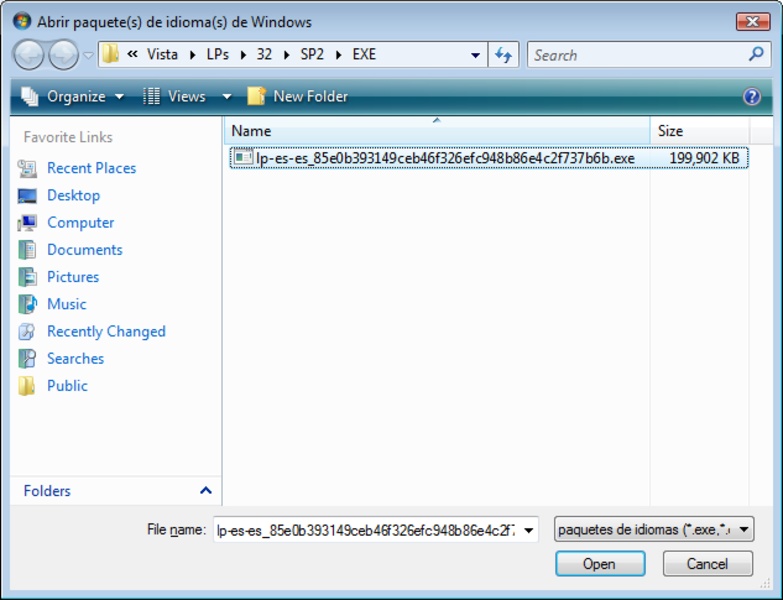
- Add a downloaded language pack via “Add Languages”. (How-To Geek)
- Install that language pack — in many cases the installation takes only a few minutes (especially in “Express mode”). (How-To Geek)
- Select the new language as your display language (menus, dialogs, system UI, etc.) and then reboot so changes take effect. (How-To Geek)
- Remove or switch languages later, if desired. (My Digital Life)
- It supports both 32‑bit and 64‑bit editions of Windows Vista and Windows 7. (My Digital Life)
✅ What It’s Good For (When It’s Useful)
- If you have a Windows 7 or Vista system whose UI is in a language you don’t prefer (for example English), and you want to switch to your native language (e.g. Arabic) without reinstalling Windows — Vistalizator makes that easy.
- It’s also useful when you have one of the “non‑Ultimate” editions (Home, Starter, Basic, etc.) that normally do not allow changing the display language.
- Because it’s portable and lightweight, you can try it without committing much — good for older PCs, or when you don’t want to install heavy utilities.
- Great for multilingual users, people who share a PC, or anyone who needs the system interface in a different language than default.
⚠️ Limitations and What to Know / Watch Out For
- Vistalizator does not include the language packs themselves — you must separately download the correct language pack (matching your Windows version and architecture) from an official or trustworthy source. (How-To Geek)
- Because this effectively bypasses Microsoft’s built‑in limitations, sometimes after installing language packs with Vistalizator, things like Windows Update or system validation/activation may behave differently or even produce warnings (some users have reported issues with authenticity or updates). (My Digital Life)
- The tool is intended for older Windows versions (Vista / 7). It may not work, or may be unnecessary, on newer Windows versions (e.g. Windows 10/11) where language switching is more flexible. (LO4D.com)
🧑💻 Who It’s Good For (Given Your Background)
Since you seem to use a PC and care about customizing or using your computer comfortably:
- If your Windows is in English or another language and you prefer Arabic (or another language) — Vistalizator lets you “localize” your system without reinstalling.
- If you use older Windows versions (Vista or 7), or you rescue/maintain older PCs — it offers a simple, quick way to add language support.
- Useful for sharing the PC with others who prefer a different language, or if you occasionally need to switch the system language for different tasks/users.